2026 Update
Adapted from a talk I gave in 2022. The buying advice has aged — Wi-Fi 6 is no longer something to wait on — but the physics hasn’t changed. Everything about placement, channels, airtime and slow clients still hold.
Wi-Fi is the world’s simplest technology. It just works. You can install it anywhere. It’s completely intuitive, always delivers exactly what was promised, and really isn’t much different from plugging in a cable.

Jokes aside: Wi-Fi is simple to deploy, right up until it isn’t.


It would be easier if the marketing weren’t so misleading
Start with the speeds on the box. They’re apples-and-oranges math. The number you’re sold is closer to the car goes 120 km/h, but only every other metre. Or better: if the car goes 120 km/h and the truck goes 80 km/h, then the road goes 200 km/h. That’s how a headline rate gets built — by adding up radios that can’t all serve you at once.
“Improved range” is the other one, and it’s always negligible. If a design reaches farther in one direction it reaches less in another — that’s antenna physics, not a feature. Transmit power is capped by regulators (the CRTC in Canada, the FCC in the US) and that limit hasn’t moved in twenty years.
Vendors could advertise realistic expectations. They don’t, and the reason is simple enough: if I advertise a lower number than my competitor, I’m toast.
The other myth is that all Wi-Fi is created equal. Whether it’s Wi-Fi 5 (ac) or Wi-Fi 6 (ax), there are enormous differences from one product to another.

It’s not so bad — I’m amazed it works at all
For all that, I’m genuinely amazed Wi-Fi works as well as it does. It survives some of the worst situations you can put it in — it is extremely resilient. It’s always backwards compatible; Dad’s Windows XP laptop still connects. And, bruh, it’s wireless.
It’s far more complex than wired technology and still manages to deliver a wired-like experience. And it gets dramatically better once you understand a handful of basic concepts. That’s the rest of this article.

1. It’s like real estate — location, location, location
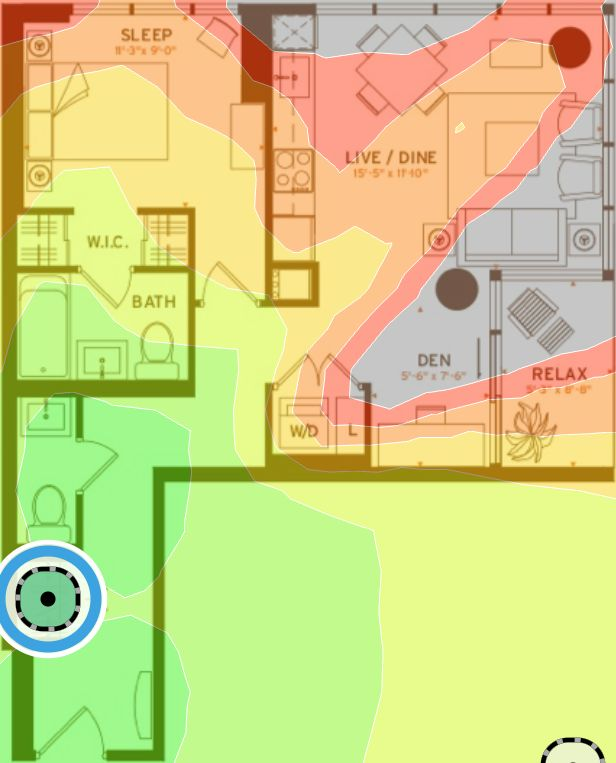

Water absorbs more signal than almost anything else, and the human body is about 70% water. Every person between your access point and your phone is a bag of water attenuating the signal.
That makes location — and height — matter more as more users connect. It’s critical for business, and it still matters at home.
Mounting height: treat it like a lightbulb
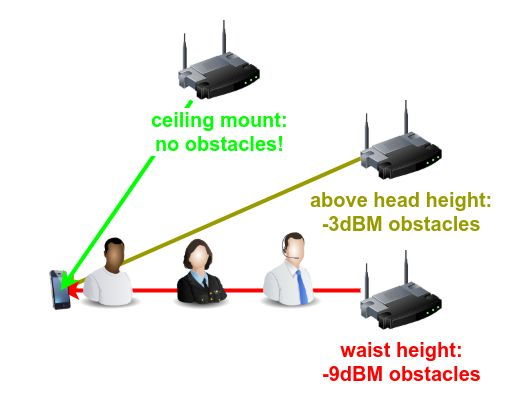
Mount it high and in the open. Ask where the shadows fall, the same way you’d ask it of a lightbulb.
2. Power: more bars ≠ better Wi-Fi
Healthy channels make great Wi-Fi, signal bars only tell half the story.

Power is limited by government regulation. Wi-Fi maxes out at 100 mW, that’s 1/100th the power used by an energy saving LED bulb! Most smartphones top out around 25 mW, which is a mismatch worth thinking about: the access point can shout, your phone can only whisper back.
For scale: an LTE phone transmits up to 2000 mW. What’s in your pocket is twenty times more powerful than the biggest Wi-Fi router you can buy, and the average received signal is almost a billion times stronger than Wi-Fi. A microwave oven runs at 1,000,000 mW.
Wi-Fi signals are very safe. Intentionally idiot-proof.
3. Channels, and the meeting-room analogy
Wi-Fi is more polite than all of Jeff Bezos’ butlers combined. Everyone on a channel takes turns — one at a time, please.
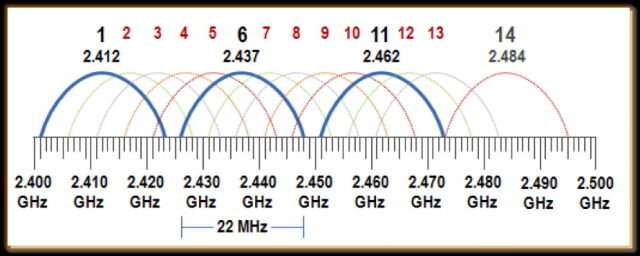
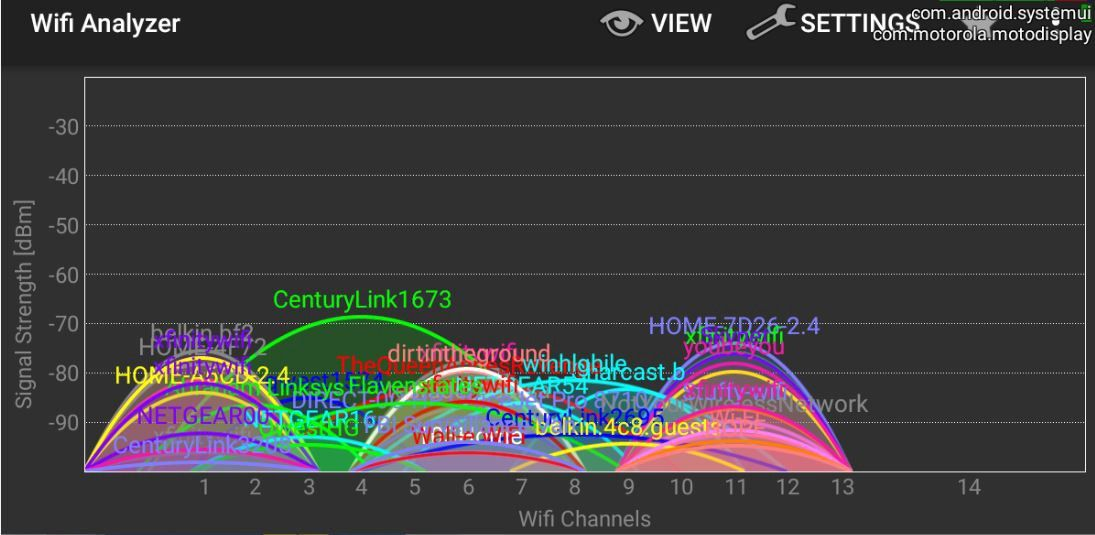
2.4 GHz — ditch it if you can
- Long range, low throughput.
- Fewer channels — three good ones, or eleven bad ones.
- More interference: Far range is a double edged sword, lots from your neighbours, plus microwave ovens and many more.
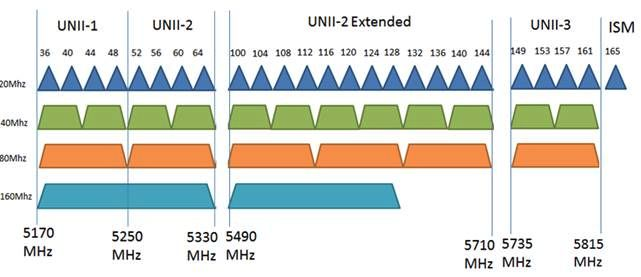
5 GHz — where great Wi-Fi is at (even better in WiFi6/7 6GHz)
- Short range, high throughput — and at home the range problem is solved with mesh.
- More channels: up to 24 good ones.
- Wider channels, for drag racing.
That is what channel congestion actually looks like — every one of those overlapping humps is a network taking its turn on the air you were hoping to use.
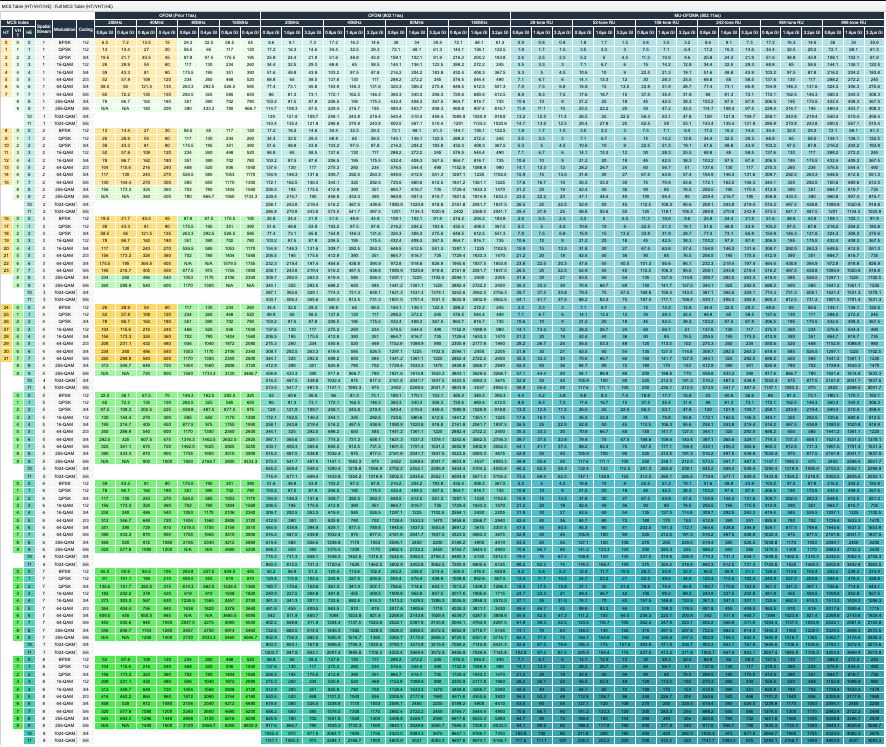
4. Wi-Fi drag racing: a car with over 160 gears (WiFi 5)
Wi-Fi keeps you connected by constantly downshifting and upshifting its transmission speed.
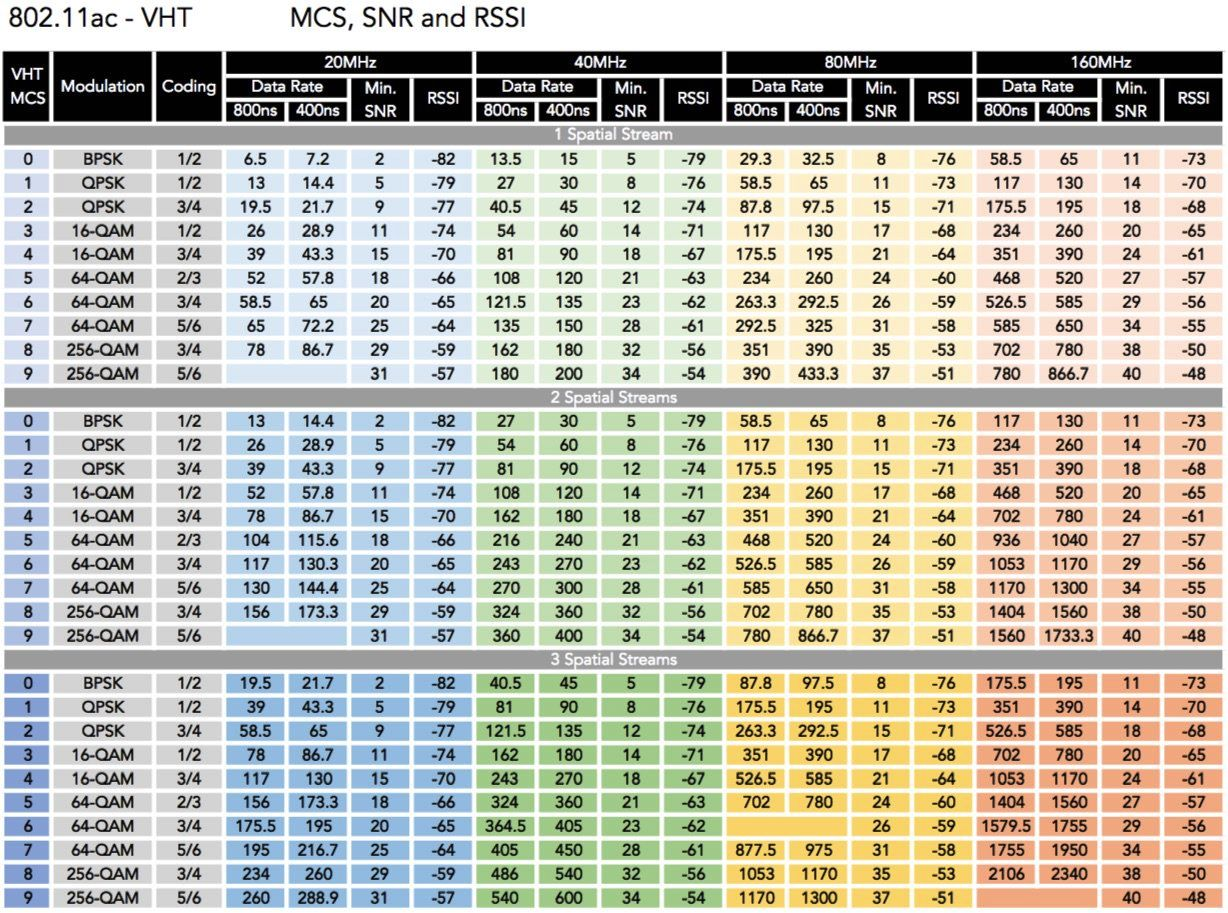
Your router’s speed is only half the equation. Wi-Fi is only as fast as the least capable device on it, and slow clients slow everyone down — old clients, and clients with poor coverage.
A TV with poor signal will slow down the rest of your devices. Often this isn’t an issue until it gets really bad.
True gigabit Wi-Fi is almost there. Great for home use, bad for business — wider channels mean less capacity. And not all Wi-Fi 6 products support it: it demands more power, kills batteries, and generates chipset heat.
5. Actual speed: throughput vs transmission speed
On a wire, throughput is close to transmission speed. It’s a two-lane road (full duplex) and the cars travel close together — tight frame spacing.
On Wi-Fi, throughput is often close to half the transmission speed:
- A single-lane road with two-way traffic (half duplex).
- Cars — frames — spaced much further apart.
- Cars chosen at random for their chance to drive through.
- For each car, a motorcycle (the ack) has to drive back and tell the next one it’s OK to go.
Wi-Fi 6 is supposed to improve this in a few years. Maybe. Once we all have new phones and laptops… maybe.

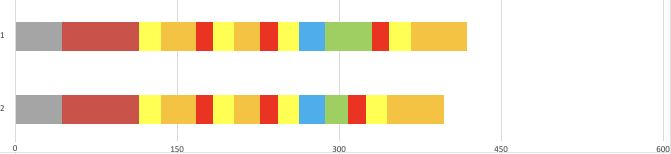
Both of those examples transmit the same amount of data at different speeds — and only the green contributes to your speedtest.net result. So much time is ‘wasted’ protecting the data for wireless transmission.
Watch the units: microseconds. The green isn’t the amount of data, it’s the time it took to transmit. Better signal quality moves more data in any given slice of time.
That is why Wi-Fi speed ≠ throughput.
6. MIMO — 4×4, 3×3, 2×2: what does it mean?
This is the first thing I want to know when assessing a product — both APs and clients.
It refers to the number of transmit × receive antennas, and it’s a fair proxy for quality. Each additional antenna adds a spatial stream, and each spatial stream multiplies the possible transmission speeds — up to the client’s own T×R number, because the lowest common denominator wins. Most decent smartphones and laptops are 2×2; a MacBook Pro is 3×3.
Alternatively, an additional antenna can simply boost send and receive signal, through transmit beamforming and MRC on the receive side.

7. 5-GHz has less range — no problem
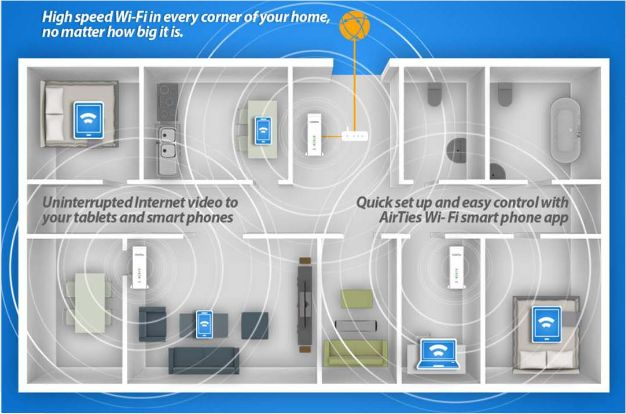
Home Wi-Fi mesh gets you 5 GHz everywhere without running cables: one wired node (the root), plus multiple wireless mesh nodes that need nothing but power.
Placement
- Keep the root central if possible.
- Place mesh nodes halfway between the root and where you want improved Wi-Fi.
- A healthy backhaul — mesh node to root — is as important as the client signal.
Mesh is NOT for business networks
Mesh is reasonable for up to about 20 clients in a healthy RF environment with low channel interference, but it also reduces capacity. Retail Wi-Fi APs are designed for home use from a hardware-resource and cost perspective, and Wi-Fi can be highly demanding on processing power and memory. There is a lot that goes into business Wi-Fi products that you won’t see on a spec sheet.
8. Buyer beware
Fancy stuff usually breaks, or doesn’t work the way you expect.
- Wi-Fi 6 — wait until a new standard has been out for ~1year before deployment
- Early released products are often not final standard and labeled “Draft”
- Gigabit Wi-Fi — weren’t we supposed to have that five years ago?
- 2026 Update – Its actually here in 2026 now with the introduction of WiFi 6 & 7, especially with premium products supporting 6GHz
- Tri-band Wi-Fi (2.4 + two 5 GHz radios).
- 2026 Update – now look for 2.4+5+6GHz – this is good
- Multi-user MIMO — rarely, if ever, actually worked.
- Latest and greatest — money well wasted.
- “Self-healing” Wi-Fi — this guy again!?


Forget everything else? Remember this.
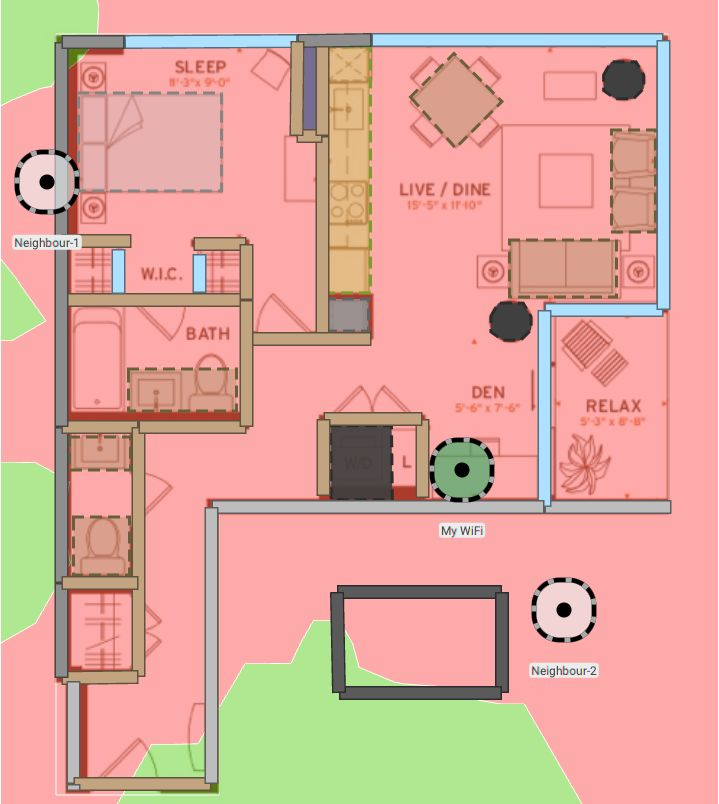
- Location, location, location. As central as possible, within reason. Visualise where the shadows fall from your Wi-Fi lightbulb — air ducts, the refrigerator, the washer/dryer, concrete pillars and walls.
- Give the channels a checkup. Auto-channel sometimes needs help. Business-grade gear handles this better, but not always.
- 5 GHz is your best friend.
- 2026 Update – 6GHz is even better!
- Slow clients slow down everyone. Old 802.11a/b/g gear (Wi-Fi 1, 2, 3), new and old devices with low signal, and most IoT products — video doorbells especially.
- Speedtests aren’t everything. Reliability and responsiveness matter more.


Common mistakes
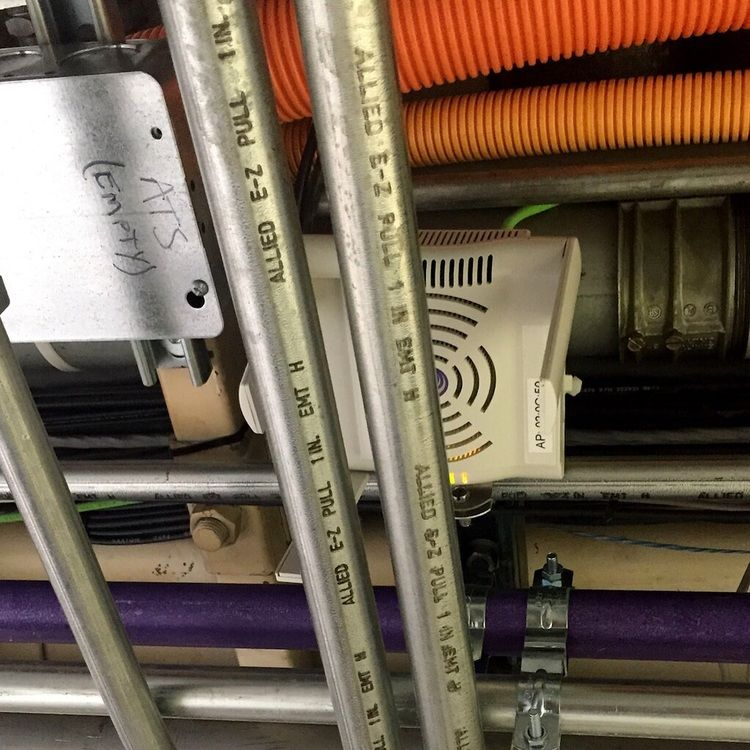
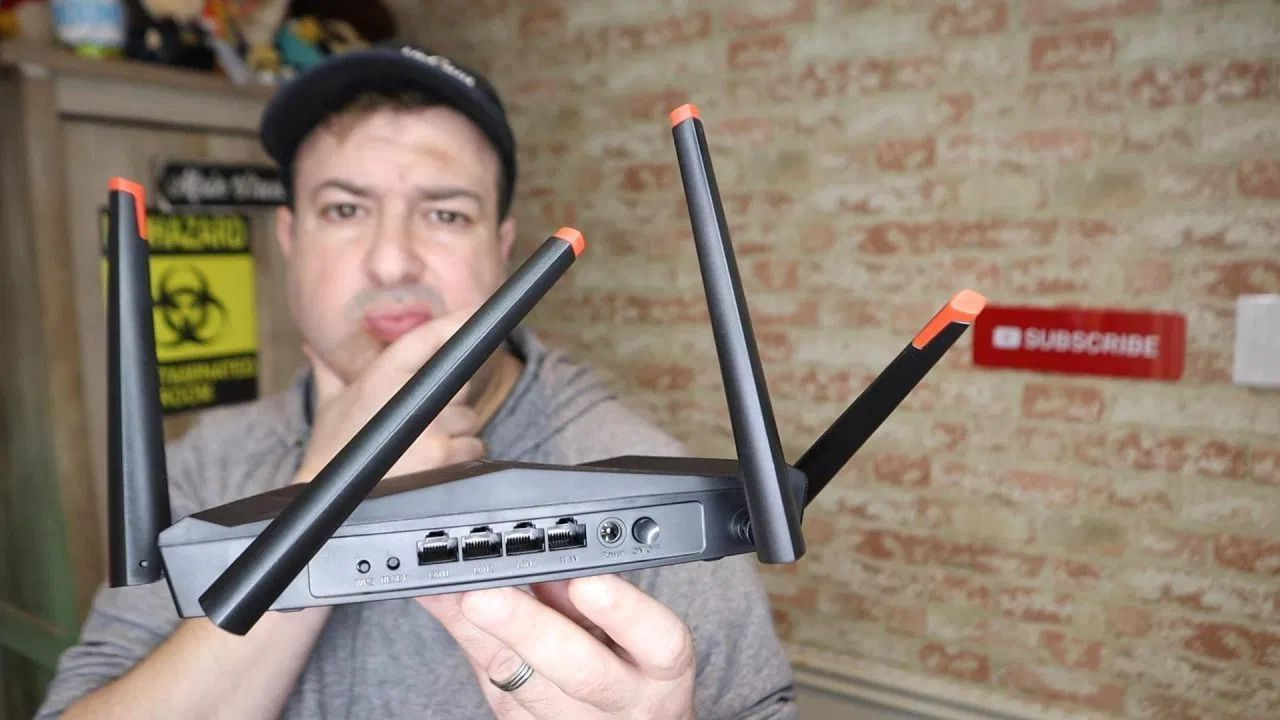
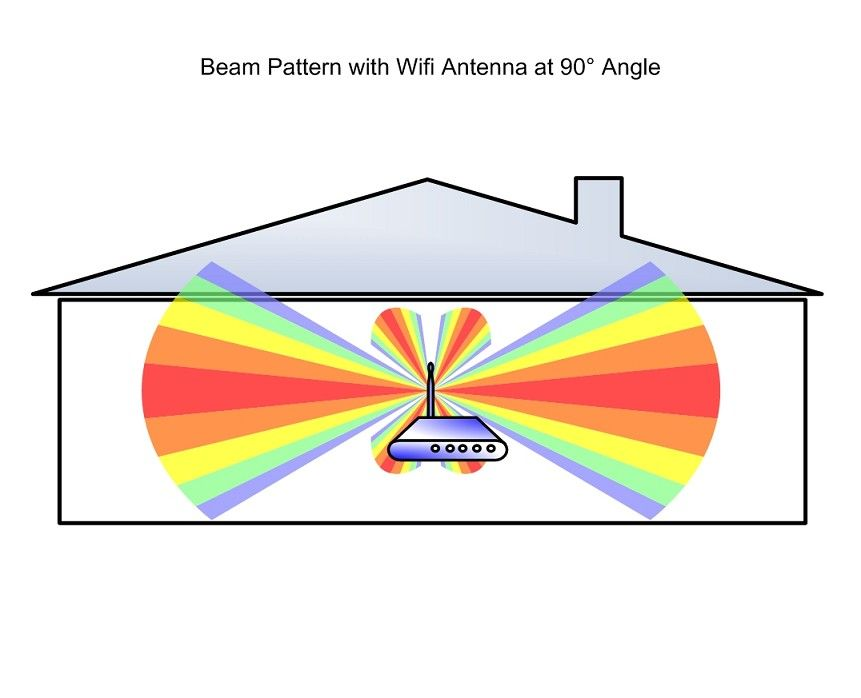
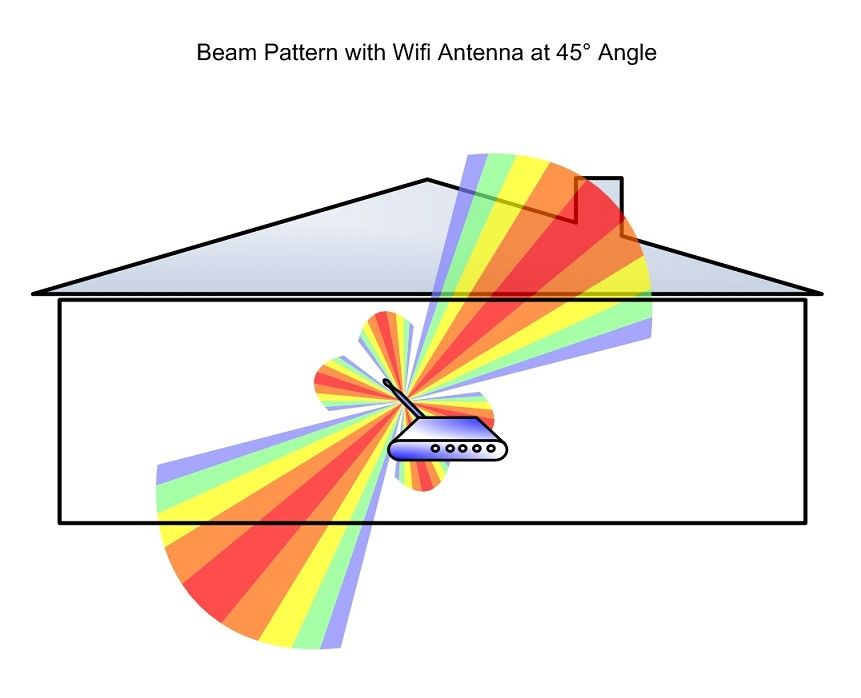
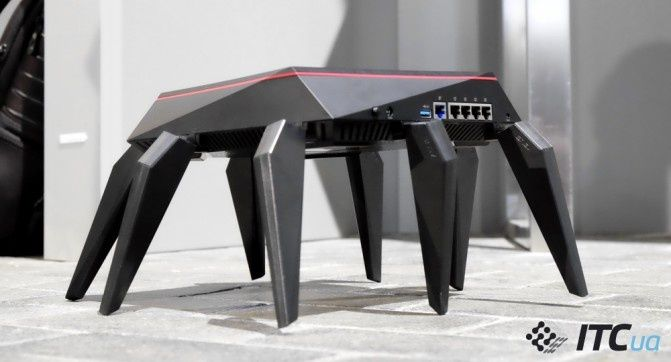
Antenna orientation changes where the signal goes. Splayed outwards looks impressive and sends a good deal of your coverage into the ceiling and the floor.
Tools and further reading
Tools
- WiFi Sweet Spots — free, iOS & Android.
- WiFi Explorer — cheap, macOS. Used for channel assessment.
- WiFi Signal — cheap, macOS. A heads-up view of your Wi-Fi.
- Acrylic WiFi Home — free for Windows, sign-up required.
Reading
- SmallNetBuilder.com — the best consumer network gear reviews and articles.
- One of the better home Wi-Fi articles: the Ars Technica semi-scientific guide to Wi-Fi access point placement.